
 ">WeChat
[1]nottepad how to delete a line starting with a character
Enter ” ⁇ ” for the beginning of the line in the search target, “$” for the end of the line and change the search mode below to ” Regular expression”.


Record ⁇ .*.$ Delete with # started row Select regular expression Replace all execute or ⁇ [#;].* with # and; start line
Delete line endspaces and blank lines Find target: \s+$ Replace with empty
or>Open Regular Expression ->Enter a character (.*)\r\n<Last line starting with the keyword
All characters following the deletion of s are used:
Deletes all characters before the s is used: ⁇ .*s
NotePad++ Underline to capital letters:[a-z])_([A-Z]I’m sorry.
Removes the line end spaces and blank lines: Select Regular Expression by CTRL+F – Find Target: \\s+$ to replace with empty to remove blank rows.\s means matching any white space characters, including tabulators, spaces, page breaks; equal value at [\f\r\t\v]. Delete extra spaces ⁇ s+
[2]nottepad delete blank line

Record ⁇ s+ Remove all blank lines and then click to replace them all
or \s+$ (not ok)
How to add special characters at the end of each line with notepad
At the end of the line, add “double quotes”
Notepad line start: Find Target Writing ⁇ Replace All
End of line for notpad: Find the target writing $ all replaced”
\n: line change, new line in English, indicating the cursor to the beginning of the row; \r: return cariage return in English, meaning move the cursor down;
And what we’re using today is — ⁇ r\n: Go back to the car.
First step: ctrl+a, with all selected keywords; or select a part of the keyword;
Step 2: ctrl+f, pull out the replacement dialogue box to find target input\r\n;
(a) Step 3: In the replacement dialogue box where it is ejected, replace it with: ⁇ (special characters to be added);
Step 4: Cycle search, extension (\n, \r,\t,\x…), direction down, all points up;
Finally, click on the replacement dialogue box to add a special character “Zip” at the end of each line.
Notepad add spaces
Notepad+Oct: Find (…) Replace with t or amp(one space after) add spaces after each character, \t means tab
Add a space operation at the end of …: Find \… Replace with… (… there’s a space behind)
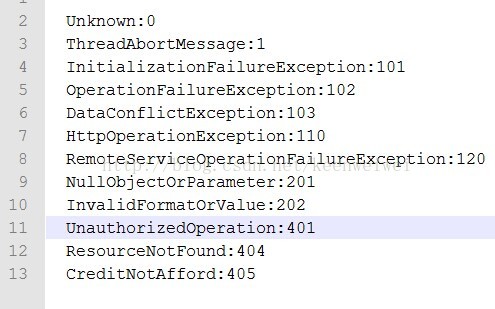
 Delete row for specified keywords
Delete Line with “delete”
Open replacement, enter in the search target input box .*delete.*\r\n , input using unix line breaks.*delete.*\n , replace with the input box to leave blank and find mode select regular expression: Select all replacements, see that two rows withdelete have been deleted and done.
Notepad multi-line lot serial number
Original content:
aaaaaaaaaaaaaaa
bbbbbbbbbbbbb
cccccccccccccc
Now you want to add a serial number for each line and turn it into the following:
1、aaaaaaaaaaaaa
2、bbbbbbbbbbb
3、cccccccccccc
If the number of lines is small, it would be okay to add them manually, and if there were hundreds of them, it would be too inefficient. The way in which lots are presented below:
I: Hold on to the alt, keep the left mouse pointer open at the beginning of the first line, drag the cursor down to the last line and find that the cursor has selected all lines and entered a dom, thereby adding a dom sign to the start of all rows
ii: Follow the action of the previous step, select all rows at the beginning again and then click on Edit->Column Edit ->Insert numbers, initial values one and incremental values one to determine that a self-additional serial number can be added for each selected line
-
Delete odd or even lines
Ctrl+F查找,开正则,查找^[^\n]*\n([^\n]*) 替换为\1
- 1
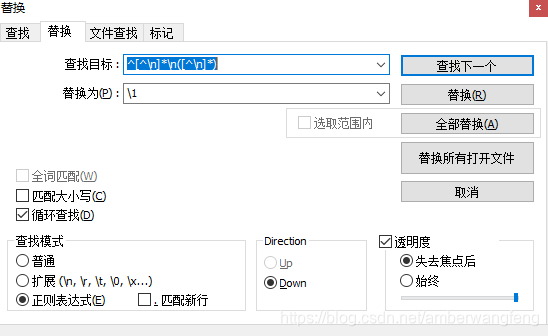
- Delete Odd Lines
在第一行敲一个回车,然后执行删除奇数行操作即可。未经允许不得转载:萌萌Apprentissage » Notepad regular expression deletes lines starting with a letter and how to delete empty lines, deleting assigned keyword lines


 linux One Chinese script
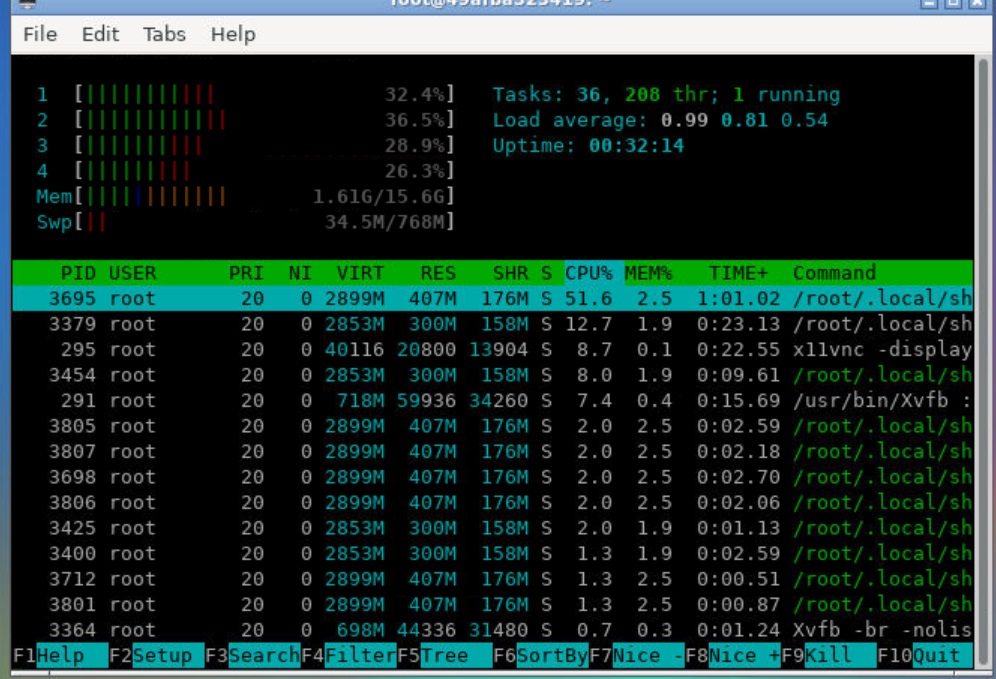 Google shell enable enhanced mode 4 nuclear 16G RAM
 Tmux use tutorial
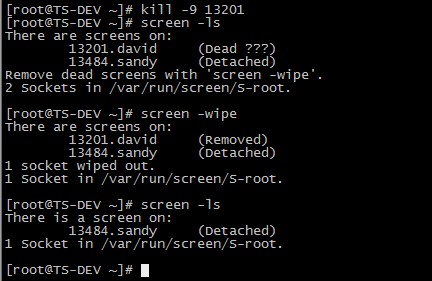 Screen's summary
 I'm gonna get you a new one, shell.cloud.google on the line.
 Linux Memory Clearing

