
 ">WeChat
#Procedure source:Zigen View The game source. ul00.com
#程序改好爬取数据和存储csv 下一步解决匹配数据 工作地点和招聘人数
#新问题出现了直接调用 datalist写入数据是一条数据包括(网址 工资…)写到了一起
#添加header use-agent 已解决 下一步利用数据进行画图输出可视化数据
from bs4 import BeautifulSoup
# 正则表达式
import re
# 定制url,获取网页数据
import urllib.request,urllib.error
# 进行excel操作
import xlwt
# 进行数据库操作
import sqlite3
# 根据需求对输入的解析
from urllib import parse
from lxml import etree
import json
import requests
import csv
keyWord =input(“请输入需要爬取的关键字:”)
word=parse.quote(keyWord)
newWord = parse.quote(word)
# jobData={}#每一个记录是一个列表,把二次获取到的网页存成字典格式
# jobList =[] #把上面获取到的信息放在列表中
#伪装爬取头部,以防止被网站禁止
headers={‘Host’:’search.51job.com’,
‘Upgrade-Insecure-Requests’:’1′,
‘User-Agent’:’Mozilla/5.0 (Windows NT 6.1) AppleWebKit/537.36 (KHTML, like Gecko)\
Chrome/63.0.3239.132 Safari/537.36′}
def main():
# 爬取网页
# url = “https://search.51job.com/list/090200,000000,0000,00,9,99,” + newWord + “,2,” + str(pageNmb) + “.html”
# html = asskUrl(url) # print (html) datalist = [ ] for i in renge (1,1005) # crawling 1-2 pages url = “https://search.51job.com/list/000000,000000,0000,00,9,99,”+newWord+”,2,”+str(i)+”.html”
pagaLink=getLink(url)#crawling list page if len (pagaLink)=0: break for job in pagaLink: data=getaData (jobpage)#link for a detailed page
# Open the Data_mining.csv file and perform writing operations #csvFile=open (“51job1.csv”, ‘a’, newline=’) writer=csv.writer(csvfile) writer.writeow (`link’, ‘job’, ‘support’,’company’,’experience’, ⁇ education’,’renshu’,) writer.write (“job_name +theatect +,’data_time ‘,’money + ‘n’) #fwrite(),join(job_list) #Getdata # # savaData2DB (datalist, dbpath) #csvFile.close()
# 获取网页信息
def getLink(url):
dataList=[]
#获取到源码
html = askUrl(url)
data = str(html)
# print(data)
find_info = re.findall(r’window.__SEARCH_RESULT__ = {(.*?)keywords’, data)
# print(find_info)
#拼接上少了的:keywords”:”找工作,求职,人才,招聘”}这一部分
find_info = ‘{‘ + str(find_info[0]) + ‘keywords’: “Find for work, find a job, talent, recruit”} # print(find_info) # # convert the contents to json format json_data = json.loads (find_info) #print(json_data) for i in json_data [`engine_search_result’]: dataList.append(i[‘job_href’]) #print(jobList) # print(dataList) return dalist
# 二次获取到的链接页面解析
def getaData(jobpage):
data = []
jobHtml = askUrl(jobpage) #获取详情页面
# print(jobHtml)
soup = BeautifulSoup(jobHtml, “html.parser”)
# data.append(jobpage)
jnames = soup.select(‘h1[title]#title of position #print(jnames)jname=jnames[0][“title”]
# print(jname)
# data.append(jname)
# Treatment #[0])
if str(moneys[0])==”<strong></strong>”: money = interview”[0].string
# data.append(money)
gnames = soup.select(“.cname > # The name of the company is gname=gnames[0][“title”]
# data.append(gname)
# Work experience list1 = jobMlisit[0][“title”].split(“|”)
jinyan = list1[1].strip()
# data.append(jinyan)
place = list1[-1].strip()# Duty station #data.append(lieu) #print(lieu)
xuli = list1[2].strip()#education#data.append(xuli)#print(xuli)#renshu=list1[3].strip() # Recruitments
# try:
data.append(jobpage+” “+jname+” “+money+” “+gname+” “+jinyan+” “+xuli)
# except:
# pass
# print(renshu)
print(data)
return data
# 爬取网页
def askUrl(url):
# 模拟浏览器信息,想豆瓣服务器发送信息
headers = {
“User-Agent”: “Mozilla/5.0 (Windows NT 10.0; WOW64) AppleWebKit/537.36 (KHTML, like Gecko) Chrome/83.0.4103.116 Safari/537.36”,
}
# 用户代理,告诉服务器,我们是什么类型的机器,浏览器(本质上是告诉浏览器我们可以接收什么水平的内容)
# Send request message request = urllib.request. ReQuest (url, headers=heads) html = “” # capture abnormaltry: # get a response # response = urllib.request.urlopen (request) # Access to web content # html = respone.read().decode(“gbk”)) #print(html) except urllib.error.URLError as e: if haasattr(e, “code”): print(e.code) if Hasattr(e, “reson”): print(e.resson) html
if __name__ == ‘__main__’:
main()
# askUrl(“https://jobs.51job.com/chengdu-gxq/124561448.html?s=01&t= 0”) print
未经允许不得转载:萌萌Apprentissage » Python crawls 51job data and stores csv files


 Python batches to extract mainstream search engine pictures
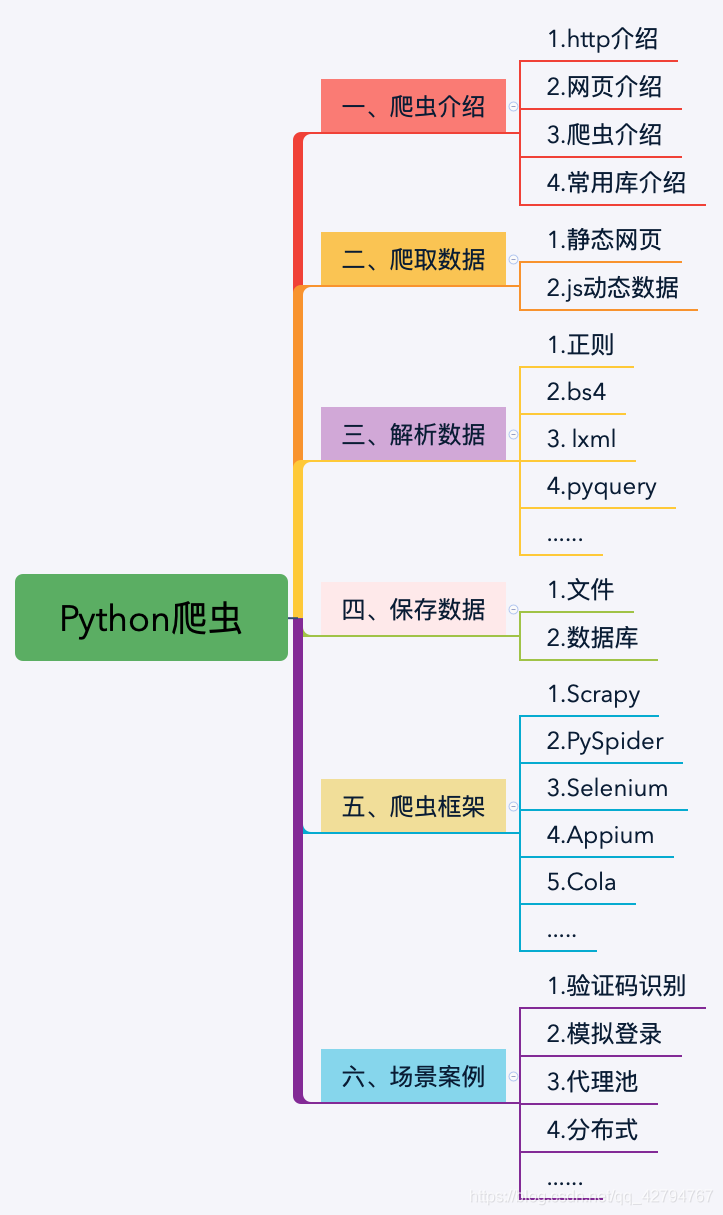 Python's word crawling across 100 degrees.
 PythonTaiichi Taipei Artificial Intelligence Tensoflow Graphic Processing
 Selenium with Tor Browser using Python
 I'm gonna get you a new one, shell.cloud.google on the line.
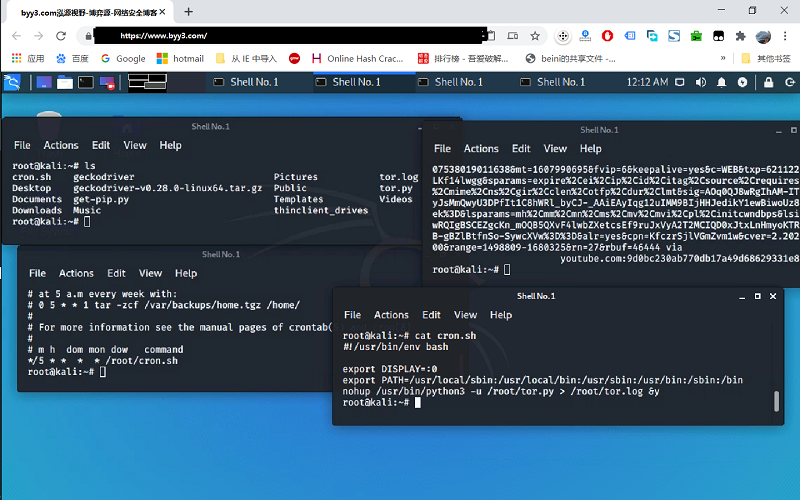 run crontab with python selenium tor browser display in linux
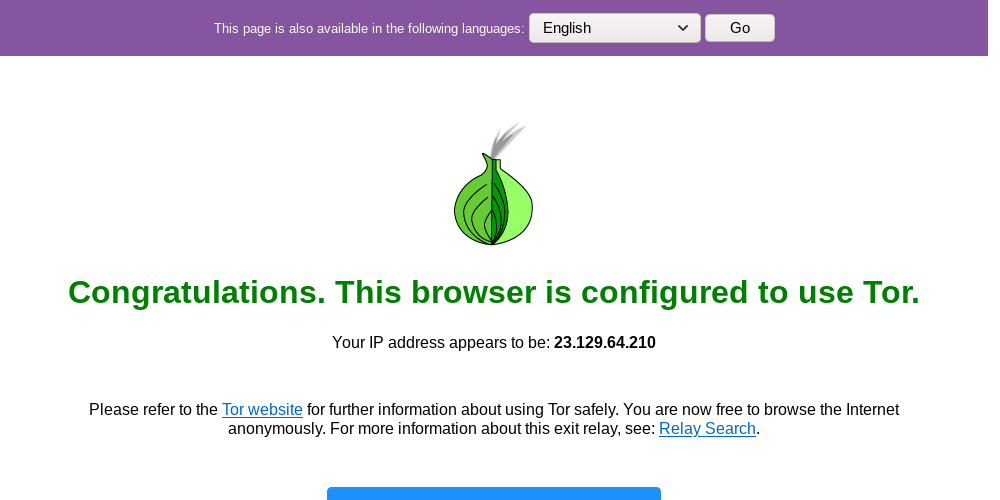 Lineux Environment Use python to call the ter browser random browser web page

