
 ">WeChat
[Introduction] There’s been some time lately, so think about writing something. It’s a coincidence that one of the projects in hand is going to be developed, that our team has come to terms with what was mentioned in the article and will soon be online, and we have also developed a series of outreach tools around this proposition, the most important of which is “Auto-Post-Cacking” – an exercise that, of course, requires the acquisition of additional hardware for work.How to develop an e-mail grab tool for yourself“As simple as possible, and as easy to understand, most of all without money, but considering that we are not all students in class and that women make up half the world’s followers (in this case, do we think about developing a foreign trade marriage service? Haha) so we’ll be able to cut down on the precision of our methods and then we’ll get back to it when everyone gets up. This course will require you to have some skills, at least type your words, and not go back to the program GGM.
1. Read the article very quickly. If you’re sure that the result is what you want, do it for a second step.
2. Read it very slowly, and in the end there’s already a clear understanding of what needs to be done.
3. Turning on the computer and carrying out it carefully, step by step, as per the steps of the starter.
The choice of tools, we’ve got a program here, or you don’t hear any more names in some programming languages, like C, JAVA (Anzor’s development language), PHP (which is basically used at foreign trade stations) etc., which are very strong and powerful, but we don’t have to do it today because it’s too complicated. If BenID uses these things for lessons today, then this little signal can be changed, so that’s called the “Procedure thing” and the Swiss Army knife-Python, which was supposed to use today. https://www.python.org/downloads/release/python-2712/This version in the next screenshot:

The file “python-2.7.12.msi” was downloaded.It doesn’t matter if it doesn’t come down.Double-click to run, with particular attention to the fact that a closed option needs to be opened on the page selected for components, and other interfaces go all the way next, black pop-up windows do not close, automatically shut down when installed, you “yes” or “no” in case of system eject problems, both “Yes”, using the following image to install an iconic operation:

Figure I: Point

Figure II: Point next

Figure III: Lower right pull down so that the contents of the red ellipse can be seen.

Figure IV: Mouse clicks on the red ellipse, with a drop-down menu

Figure 5: Move the mouse to the second of the dropdown menu Entirre feautre will… this line, click OK

Figure VI: Check if the red ellipse in the middle is consistent with the top figure, point next

Figure VII: When you click on the text of figure VI, the system pops up and asks you “yes” or “cancelled,” because it’s a system interface that can’t get through.

Figure VIII: Finishing the picture, after loading it (and finally calling Finish), the program closes itself and then we need to run a command hint that can either enter the CMD directly into the “run” of the start menu or find this in all applications. If you can’t ask your colleagues, someone will always know that the first screenshot is at Windows10 and the second at Windows 7:


Enter the command prompts separately after they are activated according to the following order
Pip install lists.
Pip install beautifsoup4 (go back, refer to second figure below)
And if you’re reminded of the words “pip is not a valid command,” it would be nice to restart the computer and execute the order. It’s a bug in Windows, but not everyone will get caught:


Congratulations, two-thirds of the class is over here, but they don’t have to look at all these sketches and actually do things like three minutes, and it doesn’t matter. It’s not so bad that we’re going through a problem once again, it’s no big deal, it’s really important that we’re doing business in foreign trade, we’ve got a hairline program, right? The rest of the lesson is to teach you how to run your first script, which is an incentive level, because we don’t know anything about it now, so BenID has saved you from a single order and can immediately see the results — two-second 50 mailboxes — as part of the reward for all your students who have successfully completed building their environment.Go to the last disk of the article and download this file from klass_1.py to computer local, wherever you want to put it, but remember the location, for example, we’re saving this file on the desktop now, and then we have a mouse.Right clickThis file select “Edit with IDLE” in the popup menu

And then we’ll see the following interface, which is full of language that we can’t understand now. Don’t worry. We don’t need to read it all right now. Just know this script is what we’re going to be running at the end of the day, and by doing it, we might wonder, “What exactly was my fucking long-stucked mailbox?

Look, we need to get something changed in order to fit what you want. It’s simple.key =u’Ferreyros Saa’This is the name of a company that this ID just entered, and you can replace it with any corporate name or product key you want to search for, like I want to search for LED. key = u’led’You want more company names or product keywords, well, that’s all you need to know today, and finally let us witness miracles. Isn’t it for this high moment?
Last step, press the F5 shortcut to the keyboard.If there’s any pop-up interface asking you to be sure or cancel, the old rules are sure. See? This is not a lie. Is there a new window in which many mailboxes are printed?

Thank you for being patient, and I would be really happy if you could run the same interface on the computer as Ben ID, because there may be another genius or soft girl in the program community tomorrow. Of course, if these things can double your work efficiency today, this will be very, very happy for you. And all those who have completed this course are signing it in their reviews, which will encourage more students to practice and try.
- The number of mailboxes actually seized did not reach 50 (according to keywords, the number will vary). What if I wanted to catch 1,000?
- Why are all the emails seized, what if I want to grab both gmail and yahoo?
- Why is it bing, not google? Can you change that?
- I want to export EXCEL directly, okay?
- Can you just send these emails to the mail?
These are also part of our future classes, so let’s just think about it. If you can solve more than two problems yourself and move on to the program later, please leave a message for Ben ID.https://ul00.com/?p=481
Lesson 3: Picking up mailboxes from Google:https://ul00.com/?p=482
More techniques to capture mailboxes can be clicked:ul00.com
未经允许不得转载:萌萌Apprentissage » Python climbs the e-mail address of the network and picks up 50 e-mail boxes in 2 seconds, first lesson.


 Python batches to extract mainstream search engine pictures
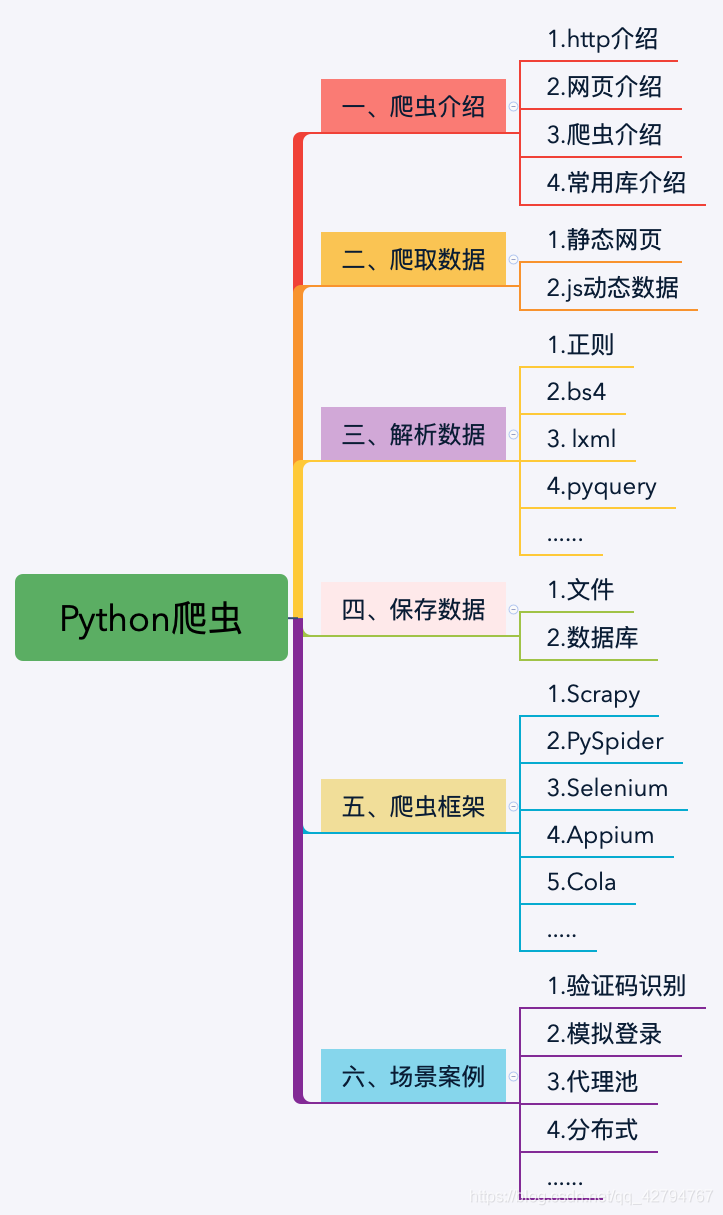 Python's word crawling across 100 degrees.
 PythonTaiichi Taipei Artificial Intelligence Tensoflow Graphic Processing
 Selenium with Tor Browser using Python
 I'm gonna get you a new one, shell.cloud.google on the line.
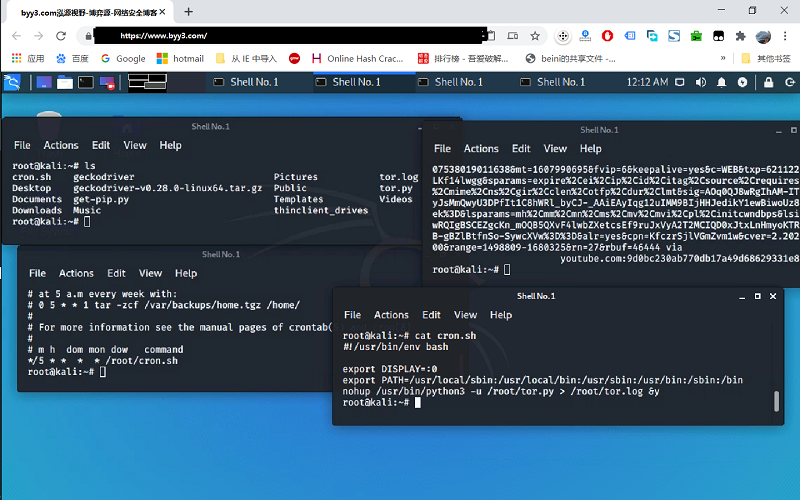 run crontab with python selenium tor browser display in linux
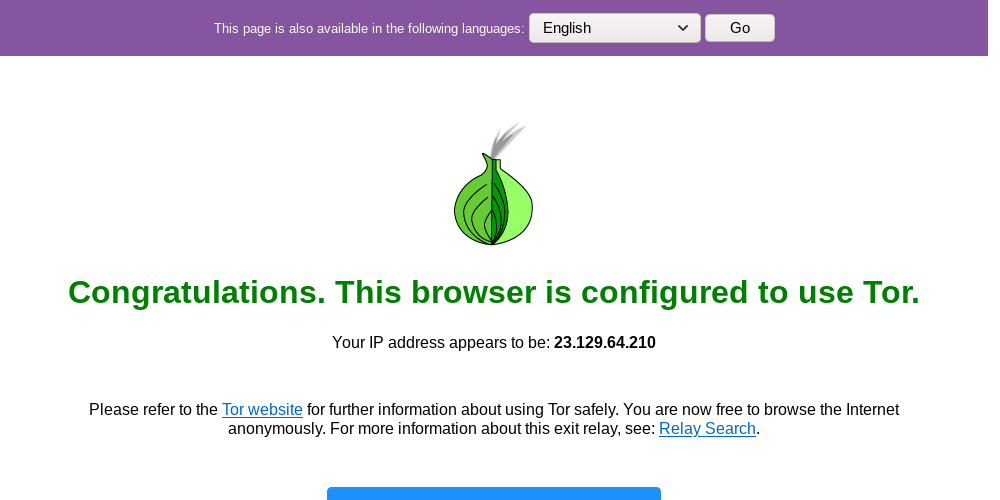 Lineux Environment Use python to call the ter browser random browser web page


