
 ">WeChat
The ClaudFlare network does not provide CDNs for recording access to CloudFlare, but the benefits of using the ClaudFlare self-defined node IPs can be mitigated in part by making CNAME/A log access to CloudFlare available free of charge through ClaudeFlare Partners. This paper details how CloudFlare optimizes the 3rd line with its definition of an IP node and shares some of the ClaudFlare’s more friendly ISP sections on mainland China. cloudflare Pro!
Preparation for the following period:
1. Free smart DNS resolution: dnspod, claudxns, dns.la, dns.com etc.cloudflare Partener platform (with direct access to the blogger)The elf CDN.)Notes:CloudFlare Partner uses the github open source code to ensure that you do not record any of your information.
Deployment methodology:
1 If your domain name registerer does not have an intelligent DNS resolution service, use a service provider that can use smart DNS resolution. Use dnspod here. Change the nameserves of the domain name register to f1g1ns1.dspod.net and f1g1ns2.dnspod.net.
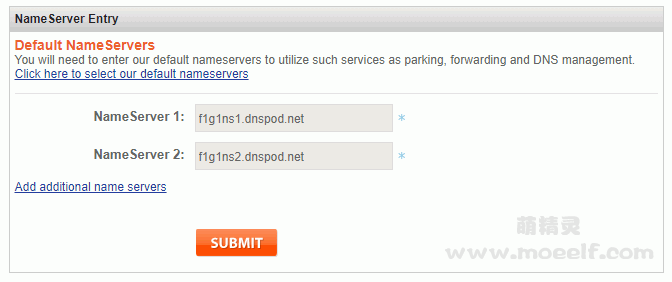
2. Register a dnspod account and add your domain name to the dspod (see, for example, oofree.me here).

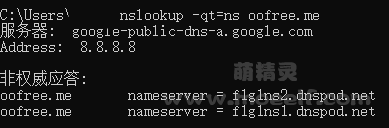
3. Usenslookup -qt=ns oofree.me. The query ensures that the domain name is dnspod
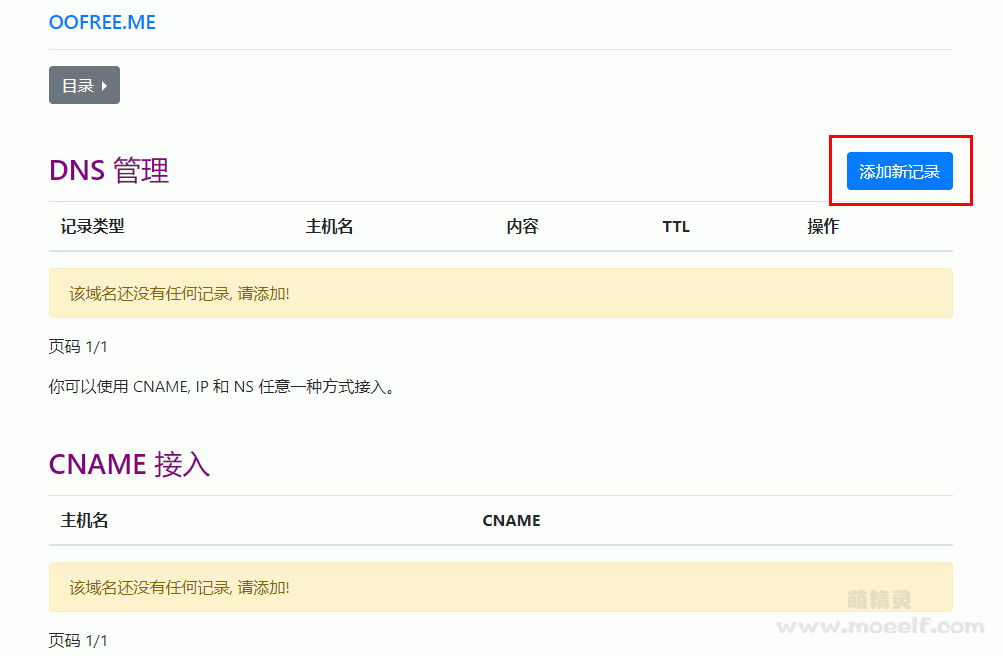
4. LoginThe elf CDN.Only main domain names are currently supported, as shown in the figure below:
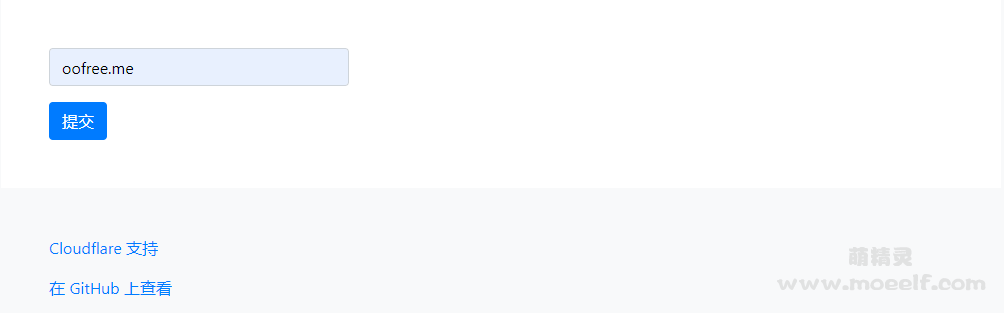
5. Click ” Add a new record ” after ” Submit”.
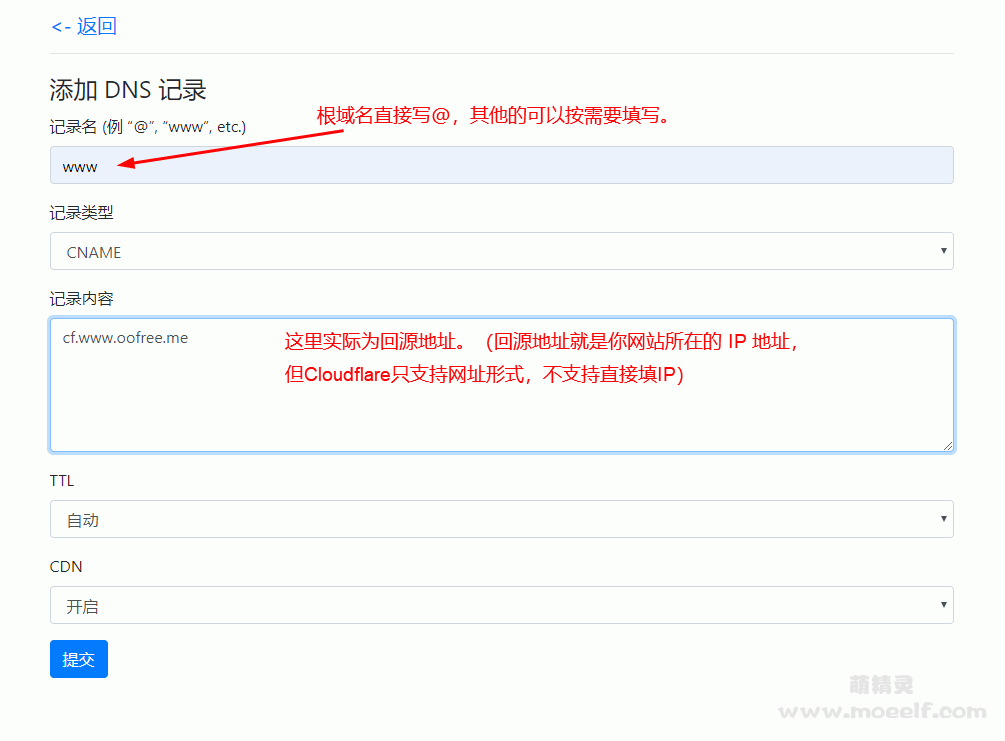
6. Set up according to your needs, as illustrated below.Update 2020/4/20:It can also be recorded directly in A.
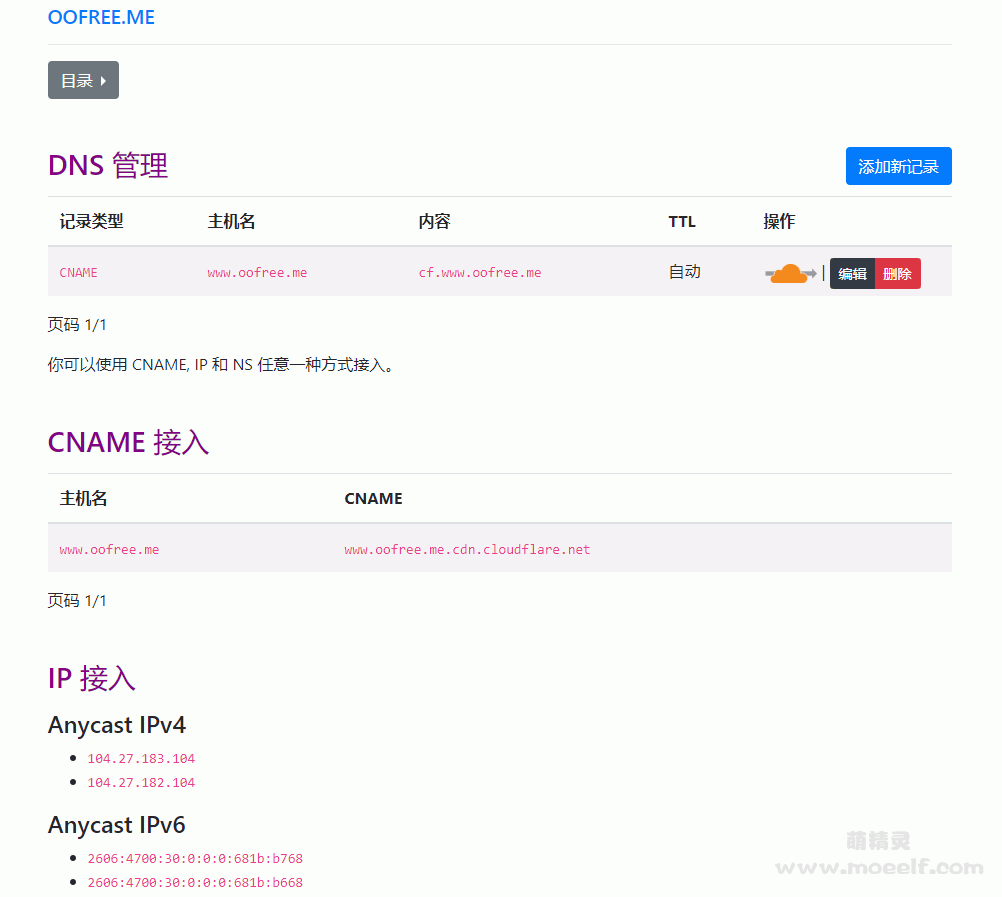
7 Click “Submit” –> “Go to the management centre”, as shown in the figure below.
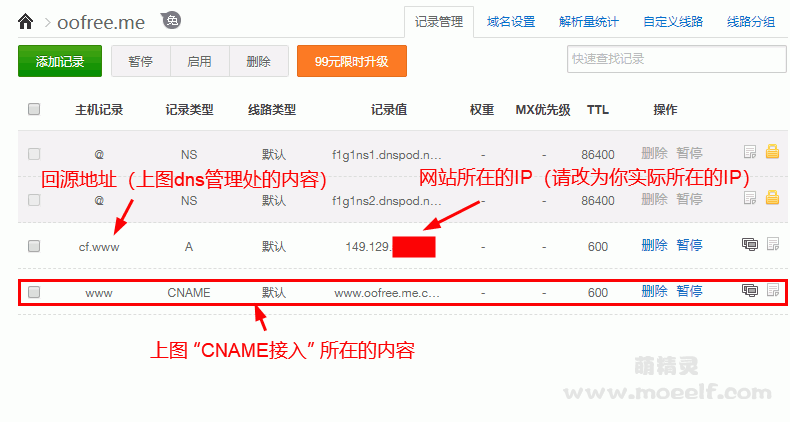
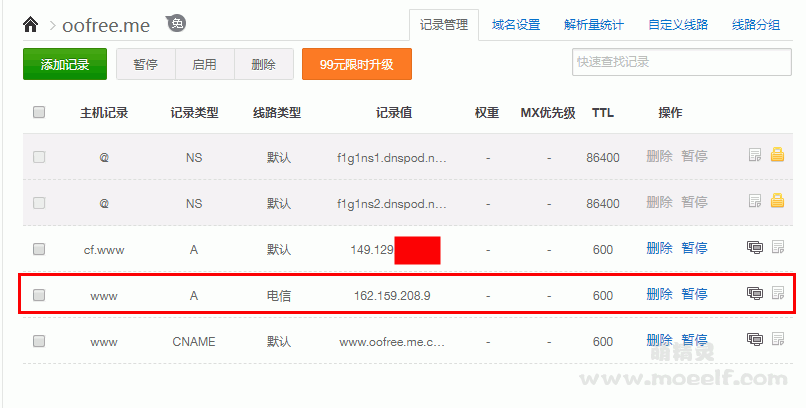
Enter dnspod to select domain name oofree.me and click “Add Record” to add the following two records according to the above figure.Notes:The CNAME record can also be changed to IP in IP access, but please change it after the SSL certificate is configured OK, otherwise the SSL certificate may not take effect.cloudflareCheck the roller.
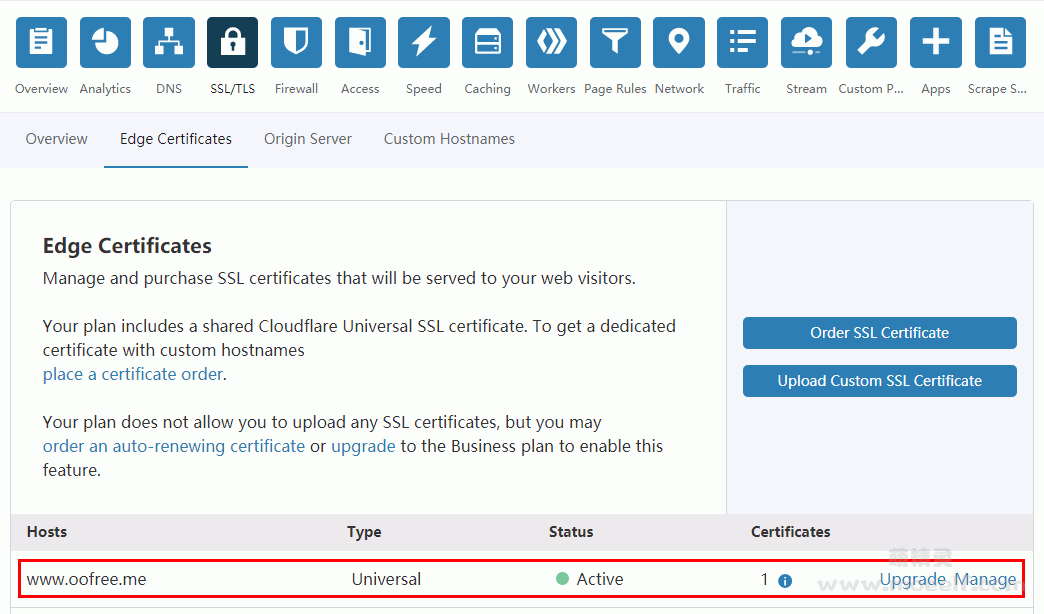
Enter the domain name on the Claudflare official network, click on “SSL/TLS” and then click “Edge Certificates”, if shown in the chart below.
Ten, well, now you can customize IPs in dnspod. The following figure provides an example of a self-defined IP for one telecommunications line that can be set up as needed.
ClaudFlare’s node:
CloudFlare 100 degrees of cloud cooperation ip:
162.159.208.4-162.159.208.103
162.159.209.4-162.159.209.103
162.159.210.4-162.159.210.103
162.159.211.4-162.159.211.103
Official list:CloudFlare’s Public Node
List of recommended lines:
Telecommunications:San José, for example: 104.160.0* or 100 degrees cloud co-operation ip above.
Move:Recommended to move Hong Kong, for example: 172.64.22*, 141.101.115.* or 104.23.240.0-104.23.243.254.
Connect:There are no good lines that can be released. San José, for example: 104.16.60* or 104.23.240.0-104.23.243.254. It is also possible to try Atlanta 108.162.236.* (not available at present).
Oh, shit.CloudFlare Pro
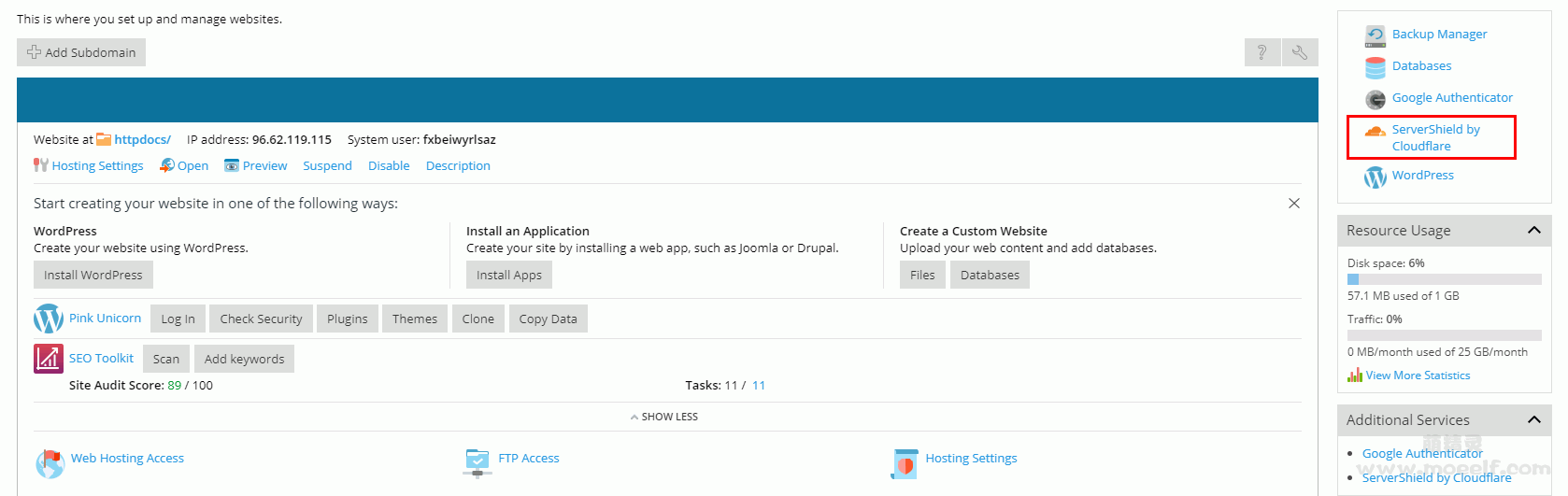
Just apply for a krypt free space.Notes:If it’s used, CloudFlare Pro, some of the CDN messages in the back can be foundThe elf CDN.location settings. Do not delete the domain name of Pro anywhere, and if it is deleted, it will only be enabled again at krypt if it is disabled.
Common problems
Cannot be opened properly, website hint ERR_SSL_VERSION_OR_CIPHER_MISMATCH
This is an abnormal question for Cloudflare to issue a SSL certificate. If you confirm that your return configuration is correct, it will normally be completed in about 30 minutes; or enter the Crypto column of the Cloudflare website to find your domain name option and find Disable Universal SSL at the bottom and try to disable it again.
Error 1016 Origin DNS error
Return source configuration is problematic. The visitors can only find Cloudflare, but Cloudflare cannot find the IP site. Make sure that both the source domain and the IP are configured correctly.
未经允许不得转载:萌萌Apprentissage » How to Customise Nodes with Claudflare CDN (CF Self-Selected IP)/CloudFlare Pro

 IP Open Source Script for Cloudflare
 The cloudflare public node p address is suitable for the CDN acceleration, website speed, V2ray speed, server speed

 Learn html_How websites work
 learn NMAP

